How to make your own coloring book from photos, step by step
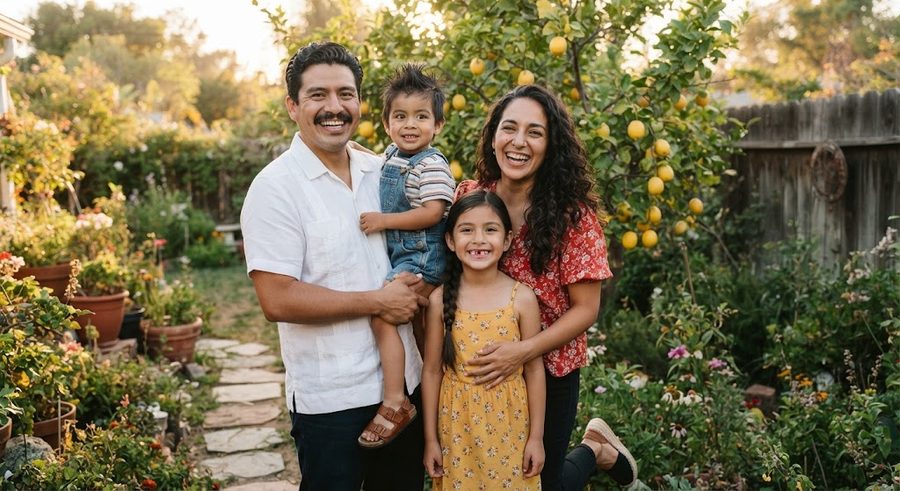
To make your own coloring book from photos, pick 8 to 20 clear photos, turn each one into black line art (with a free editor like GIMP or by tracing), lay the pages out at letter size in a free tool like Google Slides, export a PDF, and print it one-sided. Then staple it, punch and tie it, or order a single bound copy from a print-on-demand service. A whole family coloring book takes an evening or two and costs little more than paper.
When I made the first one for my daughter, the thing I learned was that the book works best when it tells a little story about your family, not when it is a pile of random portraits.
Step 1: Pick photos that tell a small story
Before you touch any software, decide what the book is about. A few ideas that work well:
- A day in our life: breakfast, the drive to daycare, the park, bath, bedtime.
- Our family: one page per person, including grandparents and the dog.
- A big moment: a new baby, a move, a first day at preschool, a trip.
- A holiday or birthday: the decorations, the cake, the cousins.
Then choose photos that will survive being turned into outlines:
| Good for line art | Hard to use |
|---|---|
| Sharp focus, daylight | Blurry, dim or night photos |
| Plain background | Busy rooms, crowds, patterned wallpaper |
| Faces large in the frame | Tiny people in a big landscape |
| 1 to 3 people | Group shots of ten |
| Clear shapes (a ball, a slide, a cake) | Clutter you would have to erase |
Aim for 8 to 12 pages for a toddler and up to 20 for an older preschooler. Short and finished beats long and abandoned.
Step 2: Turn each photo into line art
You have three free routes, covered in detail in the free photo-to-coloring-page guide:
- Filters in GIMP or Photopea. Remove the color, apply a sketch style filter such as GIMP's Photocopy filter, which the GIMP manual describes as darkening pixels darker than their surroundings and whitening the rest, then push to pure black and white and erase dark blobs. Fast, but needs cleanup.
- Trace on paper laid over a bright tablet screen or taped to a window. Slowest, cleanest, and the most charming result.
- Trace in a free drawing app like ibisPaint X: import the photo as a layer, lower its opacity as the ibisPaint layers lesson shows, and draw over it on a new layer.
A few rules for kid-friendly pages, whichever route you take:
- Thick lines. Thin lines vanish under crayon.
- Big spaces. Toddlers scribble, so leave large shapes to fill. The guide on when toddlers start coloring has more on matching detail to age.
- Erase the shadows. Dark hair and shadows become solid black blobs. Outline them instead.
- Simplify backgrounds. Keep one or two shapes (a tree, a window, the couch) and drop the rest.
Mixing methods is fine: trace the faces, where likeness matters, and let a filter handle simple objects like a bike or a ball.
Step 3: Lay out the pages
You need each page at the size you will print, usually US Letter (8.5 x 11 in).
Google Slides (free, in a browser): the Google Docs Editors Help page shows how to set a custom size: open the presentation, click File > Page setup, choose Custom, and enter the width and height in inches. Use 8.5 by 11 for portrait pages. Then add one image per slide, stretch it to fill most of the page, and leave a margin of at least half an inch so a home printer does not clip the edges.
Add simple text if you like: a title on the cover, and one line per page in large, outlined letters ("Grandpa reads at bedtime"). Kids who are learning letters like coloring their own name. When you are done, download it as a PDF.
Other free options: Google Docs, Microsoft Word, Apple Pages or Canva's free plan all work the same way: one image per page, letter size, export PDF.
Make a cover. Use the best photo, the title ("The Saturday Book", "Our Family"), and the child's name. You can print the cover in color on heavier paper even if the inside is black and white.
Step 4: Print it
Print one test page first and check that the lines are solid black and nothing is cut off. Then:
- One-sided only, so markers do not ruin the next page.
- Black and white for the inside pages.
- Heavier paper if the kids use markers.
The printing guide covers settings, paper and the usual reasons pages come out gray.
Step 5: Bind it
At home, free or nearly free:
- Staple along the left edge (a long-reach stapler handles the middle of the sheet if you fold a booklet).
- Punch two or three holes and tie with yarn or ribbon, or use binder rings so pages can come out to be colored and go back in.
- Slide pages into a cheap report cover with a spine clip.
At a print shop: office supply and copy stores offer coil or comb binding and a card cover for a modest fee. Coil binding lies flat, which helps small hands.
Order a single printed copy: print-on-demand services print one book from your PDF. Lulu's coloring book page lists US Letter and square paperbacks plus a coil-bound letter format designed to lay flat, says you can order a single copy, and recommends 300 PPI images and printing coloring pages on one side only. They provide templates for the cover. Budget a week or two for printing and shipping.
Ideas that make it feel like a real book
- A first page with "This book belongs to" and a space for the child's name.
- A simple story arc: wake up, adventure, come home, sleep.
- Grandparents and pets: these are often the pages that get colored first.
- A blank last page that says "Draw your own picture here".
- Make two copies, one to color and one to keep. A finished, scribbled copy is a keepsake too. The gift guide for grandparents from grandkids has ideas for sending the colored one on.
If you would rather hand off the drawing and layout, Colorkin is one option: you send photos and get a story where your family are the characters, with pages drafted with AI illustration tools and checked and finished by a person, as a $29 printable PDF or a $59 printed paperback. Other routes include Etsy sellers who make custom pages from photos and the free methods above. The guide to personalized coloring books with photos compares them, and the make-your-own hub has the rest of the how-to guides.
Questions parents ask
Can I make a coloring book from my own photos for free?
Yes. Turn each photo into line art with a free editor or by tracing, lay the pages out in a free tool like Google Slides, print them one-sided at home and staple or tie them together. The only cost is paper and ink.
How many pages should a homemade coloring book have?
For a toddler, 8 to 12 pages is plenty. Preschoolers can handle 12 to 20. It is better to finish a short book than to abandon a long one halfway.
Can I get just one printed copy of my coloring book?
Yes. Print-on-demand services such as Lulu let you upload a PDF and order a single copy, including coil-bound editions that lie flat for coloring.
What photos make the best coloring book pages?
Sharp, well-lit photos with a plain background, one to three people, and faces large in the frame. A mix of everyday moments (bath time, the park, the dog) works better than formal portraits.
See your own family on a page, free
Making your own book? Send us one photo and we will email you a free sample coloring page to compare with yours. No card, no obligation.
Get a free sample pageMore in Make your own
Turn a photo into a coloring page for free: 4 methods that work
Four free ways to turn a photo into a coloring page: GIMP filters, the Photopea browser editor, tracing on a tablet or window, and a free drawing app.
How to write a short story starring your child
A simple 12-page template for writing a picture-book story with your child as the hero, plus tips on plot, length, pictures and reading it together.
How to turn a photo into a coloring page in Canva
Turn a photo into a coloring page in Canva: trace it with the Draw tool over a faded, locked photo, then download a PDF Print file. Steps from Canva's help.